
If you want to replace a WidgetBox embed, start with its function: a clock, calendar, weather card or countdown. This guide matches those needs to Dearly Peculiar widgets and explains the free account limits before you switch.
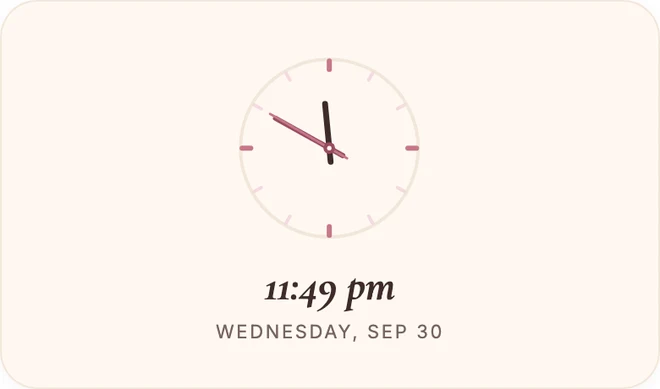
Replacing a WidgetBox clock? Try Soft Clock. It’s free with an account.
Before switching from WidgetBox
Check WidgetBox’s official site for current availability, plans and support. Its public homepage lists widgets and pricing, but that alone does not confirm whether a particular saved embed or account still works. We cannot diagnose an old embed from its provider name.
This is one reason I keep the underlying information, such as dates, tasks and reading lists, inside Notion itself rather than only in a widget. The widget can disappear without taking the source record with it.
Find a replacement for each WidgetBox widget type
Match the widget type you used to what is below. Every link goes straight to that widget's customise page, where you can preview it. Sign in to claim a widget, then copy its embed link. You can start free with a Dearly Peculiar account.
| WidgetBox widget | Dearly Peculiar replacement | What it does |
|---|---|---|
| Clock | Soft Clock | A live analog clock with ticks, numerals, roman or minimal faces, plus an optional digital time and date. |
| Calendar | Marked Month | A month grid where you tap any day to mark it with a coloured dot, with a legend so each colour is clear. |
| Weather | Weather | Search your city for the temperature, the sky today, and a three-day look ahead. |
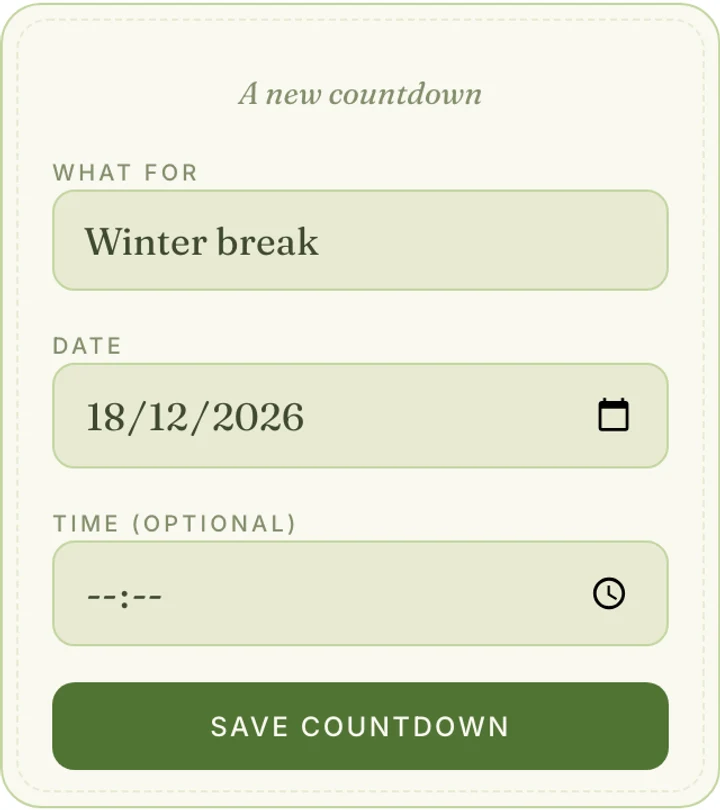
| Countdown | Countdown | Set a date and a name, and watch the days fall away, with soft confetti the day it arrives. |
| Timer / pomodoro | Focus Timer | A tidy focus timer with custom presets and automatic breaks. |
| Life / year progress | Life in Weeks | Your life as a grid of weeks, filled up to today. A quiet way to see the time you have. |
| Quotes | Daily Whisper | One soft line a day, the same all day. Swap in your own lines whenever you like. |
| Reactions / like buttons | No direct replacement yet | We do not have a like or reaction widget yet. Check a provider’s current feature list before choosing a replacement. |
| View counters | No direct replacement yet | We do not have a public view-counter widget yet. Check a provider’s current feature list before choosing a replacement. |
Widgets that track a whole year, such as Marked Month, sit alongside Year in Bloom, which shows the year itself filling up rather than marking individual dates. Try both and keep whichever one you read at a glance.
How to replace a WidgetBox embed
- Preview the matching widget, sign in and claim it, then copy its embed link. A free account lets you try customisation. See current pricing for additional customisation options.
- In Notion, select the WidgetBox embed block you want to replace and delete it.
- On a new line, type
/embed, choose Embed, and paste the new widget's link. - Resize the block to roughly the space the old widget used.
- Refresh the page once to confirm the new widget loads and holds its settings.
If the widget still appears as a link card rather than an interactive embed, choose Embed rather than Mention, Bookmark or Paste as link when Notion offers those options. The full embedding guide covers that fix in more detail.
What doesn't have a replacement yet
We do not have a direct replacement for WidgetBox's reactions or like buttons, or for a public view counter. If either feature is essential, check it explicitly in another provider’s current documentation before replacing the embed.
Frequently asked questions
Where can I check WidgetBox availability?
Check WidgetBox’s official site and your account for current service information. Do not assume a blank embed means a provider has permanently closed.
Why did my WidgetBox embeds stop working?
A blank embed can have several causes, including a changed link, account access or a loading problem. Open the original widget URL in a browser and check the provider’s support information. Our troubleshooting guide explains the checks to try before replacing it.
Is Indify free?
Indify’s free plan lists up to six active widgets. Its Creator plan removes that limit; individual Pro upgrades add features to specific widgets. Checked 1 October 2026.
Are Dearly Peculiar widgets free?
You can start free with a Dearly Peculiar account. Single-widget licences, packs, Subscription and Lifetime offer additional access. See current pricing and coverage.
Can I keep my old WidgetBox layout?
The block itself needs replacing, but the position, size and column it sat in can stay the same. Delete the old embed, add a new one with /embed, and resize it to roughly the space the old widget used.


