A moving planner can hold every quote, box and address. The hard part is finding the one thing you need while half the room is wrapped in paper.

That is where a small widget can help. It keeps a date, next action or short checklist visible without asking you to open another database view.

I would change the widgets as the move changes. The thing you need six weeks before moving day is not the thing you need when the van is outside.

Before packing: keep the date and next action together

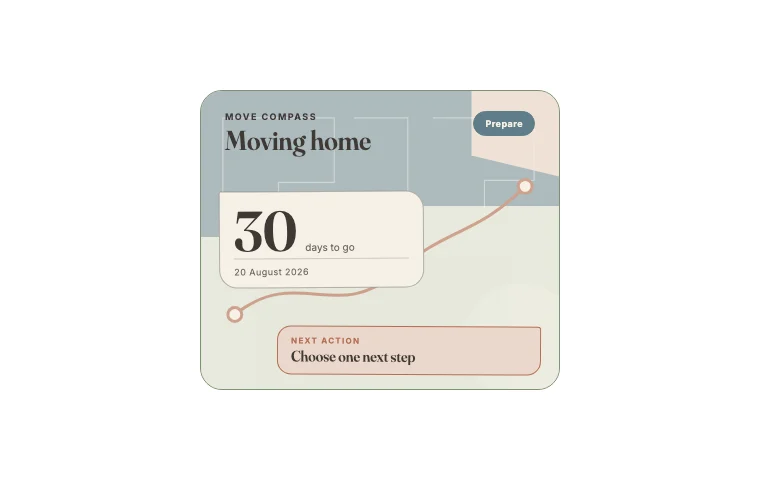
Move compass Notion widget in its default theme
Move Compass with the date and one useful next thing

Move compass

This earns its space early in the move. It keeps the date visible but gives the next small action more room than a dramatic countdown.

Early in a move, the work is scattered. You may be comparing removal quotes, chasing documents, measuring furniture and waiting for dates to become firm.

The Move compass keeps three pieces of information together: the moving date, the current stage and the next action. Its job is to stop the deadline floating separately from the task that moves you towards it.

Use a plain action you can finish, such as “book the van”, “confirm key collection” or “measure the wardrobe”. “Sort the move” is too large to help.

Keep detailed quotes and contact information in a Notion table. A widget is a poor filing cabinet. It is a good signpost.

While packing: choose one useful box

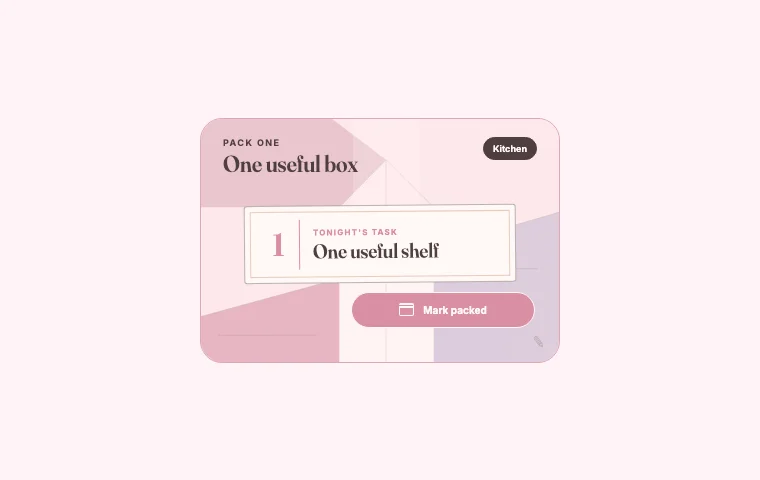
Pack one Notion widget in its customised theme
Pack One in blush, because moving is grey enough

Pack one

I would open this when the room feels too large to begin. One named box is far easier to act on than “pack bedroom”.

Packing lists grow quickly. After a long day, “pack the kitchen” can feel like an instruction from someone who has never seen a kitchen drawer.

Pack one narrows the evening to one box and one room. Give it a concrete label: mugs and tea, bathroom towels, bedside drawer. When that box is done, you can stop or choose another. Either result is better than circling the whole flat and finishing nothing.

Use your main packing database for the full inventory. The widget sits on the dashboard as tonight's small commitment.

The week of the move: bring final checks forward

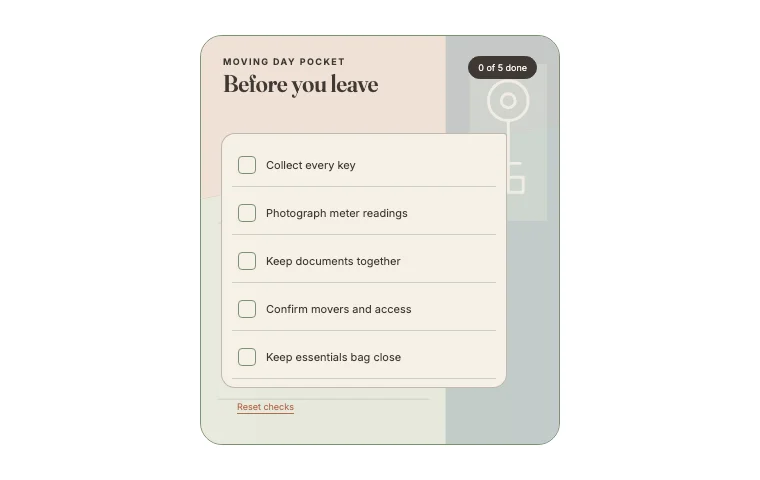
Moving day pocket Notion widget in its default theme
The checks I would want beside me on moving morning

Moving day pocket

Keep this near the top during the final week. These are small jobs, but forgetting one can make moving morning needlessly awkward.

Tasks change character near moving day. Keys, access arrangements, documents and meter readings become more important than the box count.

Moving day pocket keeps five final checks together. It is deliberately short because this is the list you need when your laptop may already be packed.

I would include:

Adapt the wording to your move. Renters may need a handover record. A move with children or pets needs a plan for where they will be during loading. The widget should contain the checks that would be awkward to discover too late.

The first night: plan for tired people

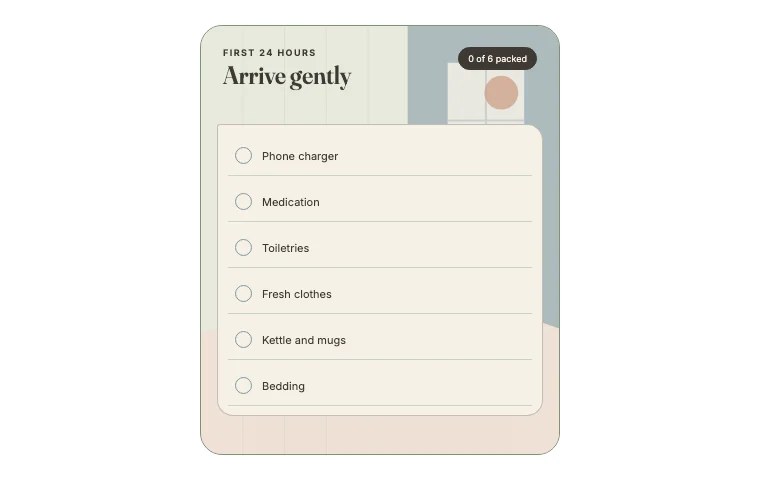
First 24 hours Notion widget in its default theme
First-night bits, before the kettle disappears

First 24 hours

This one is for tired people, which is the correct audience on moving day. Put only the things you will need before you can face another box.

The first evening is not the time to remember that every towel is in a box labelled “miscellaneous”.

The First 24 hours widget tracks the small group of things needed for the first night and morning. Think bedding, basic toiletries, medicine, chargers, a drink and something easy to eat. Add pet food, children's sleep items or work equipment if they matter in your home.

Pack these items separately and label the container clearly. The widget is a reminder; the useful part is knowing which bag or box should stay with you.

After arrival: make one room liveable

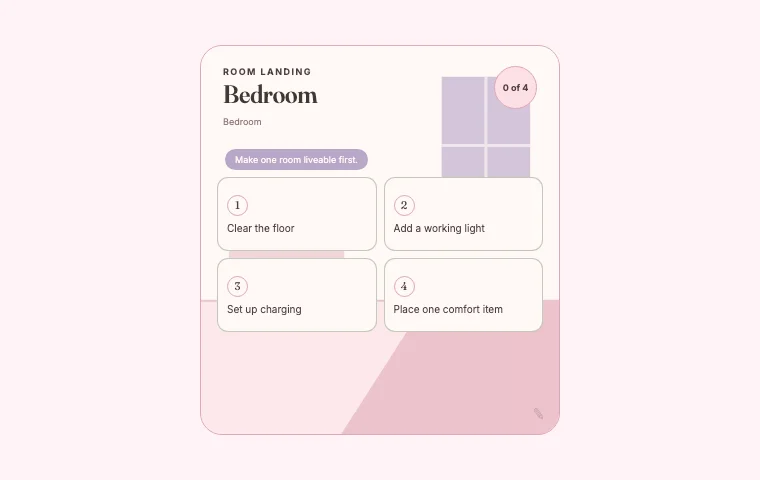
Room landing Notion widget in its customised theme
Room Landing after a little colour and a ruthless edit

Room landing

I would choose one room and stop there. A clear floor, a light and somewhere to charge a phone can make the new place feel usable.

Unpacking every room at once creates five unfinished rooms. Room landing breaks one room into four steps so you can make a single space usable first.

For a bedroom, that might mean build the bed, find the bedding, clear a path and set up a lamp. For the kitchen, it could be kettle, mugs, one pan and a clear work surface. Choose the room that gives you the most comfort or function tonight.

Once that room works, move the widget to the next one or remove it from the dashboard. Moving widgets are temporary by design. They should leave when their job is done.

A simple moving-home dashboard

Keep the first screen spare. Put Move compass at the top beside a small view of urgent tasks. Under that, show the packing database filtered to “in progress”. Add Pack one while you are packing, then replace it with Moving day pocket during the final week.

Keep four supporting pages underneath:

Decorating ideas can have their own page. They are much nicer to browse when they are not wedged between a removal quote and a broadband cancellation date.

What I would leave out

You probably do not need a weather widget until the forecast can affect moving day. A general habit tracker rarely helps during a short, disrupted period. And a giant inspirational quote uses space that could hold the address, key time or next action.

Let the dashboard become more practical as the date gets closer. You can make it decorative again when the boxes are gone.