
I have added a setting called Float on top to Soft Clock and Focus Timer. Switch it on and a small window button appears in the corner of the widget. Press it and the widget pops out into its own little window, which stays above your other tabs and apps until you close it. It is useful when you want the time or a countdown in view while you work somewhere else.
It uses your browser’s picture-in-picture window, the same kind of small floating window a video can use. Float on top is part of full customisation, which buyers get on the widgets they own and a free account gets on its one customised widget. The pricing page has the details.
How to switch it on
- Open the widget’s customise page: Soft Clock or Focus Timer.
- Turn on Float on top. It is off until you choose it.
- Copy the embed link and paste it into a Notion Embed block. The embedding guide has the steps if you have not done it before.
- Move your pointer over the widget and press the little window button in its corner.
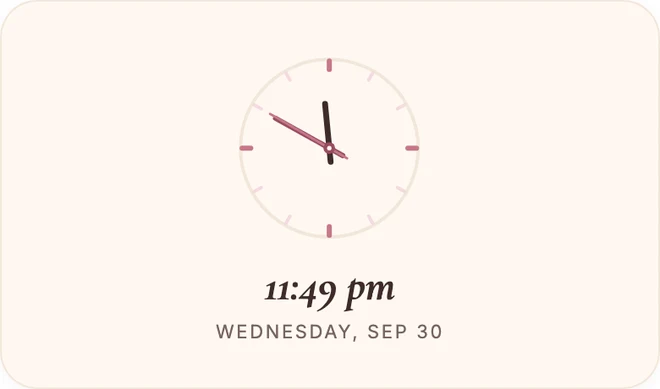
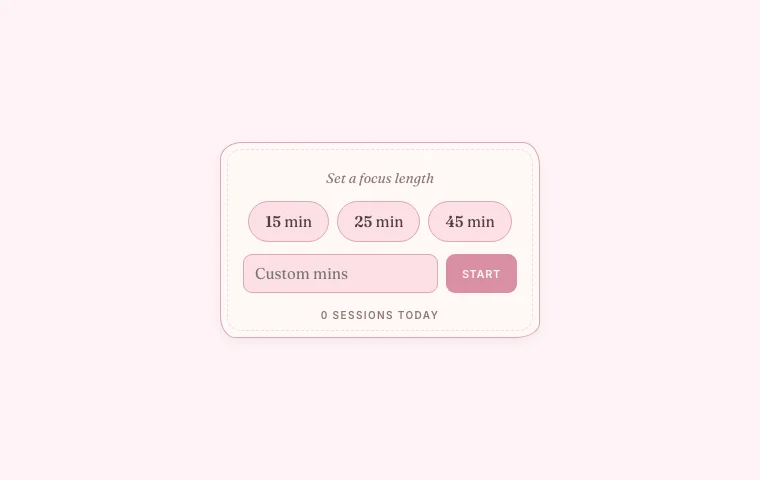
What you will see in the floating window
The window keeps the widget’s theme, so a widget in your colours floats in your colours.
- Soft Clock floats with its analogue face, the time and the date.
- Focus Timer floats as the countdown ring. It also shows when the timer is paused and when it is done.
Tips
- Drag the edge of the little window to make it bigger or smaller, and move it wherever it is out of the way.
- It keeps counting when you switch tabs or apps. The floating window is drawn by the widget on your Notion page, so leave that page open.
- To close it, use the close button on the window, or press the widget’s window button again.
- Start, pause and reset Focus Timer in the widget on your page, then look at the floating window while you work.
What it can’t do
I have only tested Float on top in Chrome, Safari and the Notion desktop app, on a Mac computer. I can’t say how it behaves anywhere else. If your browser can’t float it, the button won’t appear.
The floating window is for looking, not clicking. The only control is the one that closes it, so a timer can’t be started or paused from there. That is also why I am starting with widgets that are quick to read at a glance.
Frequently asked questions
Why can I not see the window button?
The button only shows when Float on top is switched on in the widget’s customise page and your browser can float a small window. I tested it in Chrome, Safari and the Notion desktop app on a Mac computer. If your browser can’t float it, the button won’t appear. It can also stay faint until you move your pointer over the widget.
Can I press start or pause in the floating window?
No. The floating window is for looking, not clicking, so the only control is the one that closes it. Start, pause and reset Focus Timer in the widget on your Notion page.
Which widgets can float, and does it cost anything?
Soft Clock and Focus Timer can float so far. I plan to add it to more widgets that are quick to read at a glance. Float on top is part of full customisation, which buyers get on the widgets they own and a free account gets on its one customised widget. The pricing page has the details.